T-Mobile – conditional call forwarding setup
Conditional call forwarding ensures that a parallel call (or calls) to your SIM card is forwarded to another phone number.
Example: someone calls you, you pick up and talk. During the call, another person calls you, and instead of answering the call and putting the original one on hold, you let this parallel call be forwarded to another phone number – to the call center, where someone will take care of it. Or you get a missed call, which you can easily find and call back. This way you can handle several parallel calls on a single SIM card at the same time.
Contents:
1. Logging in to T-Mobile
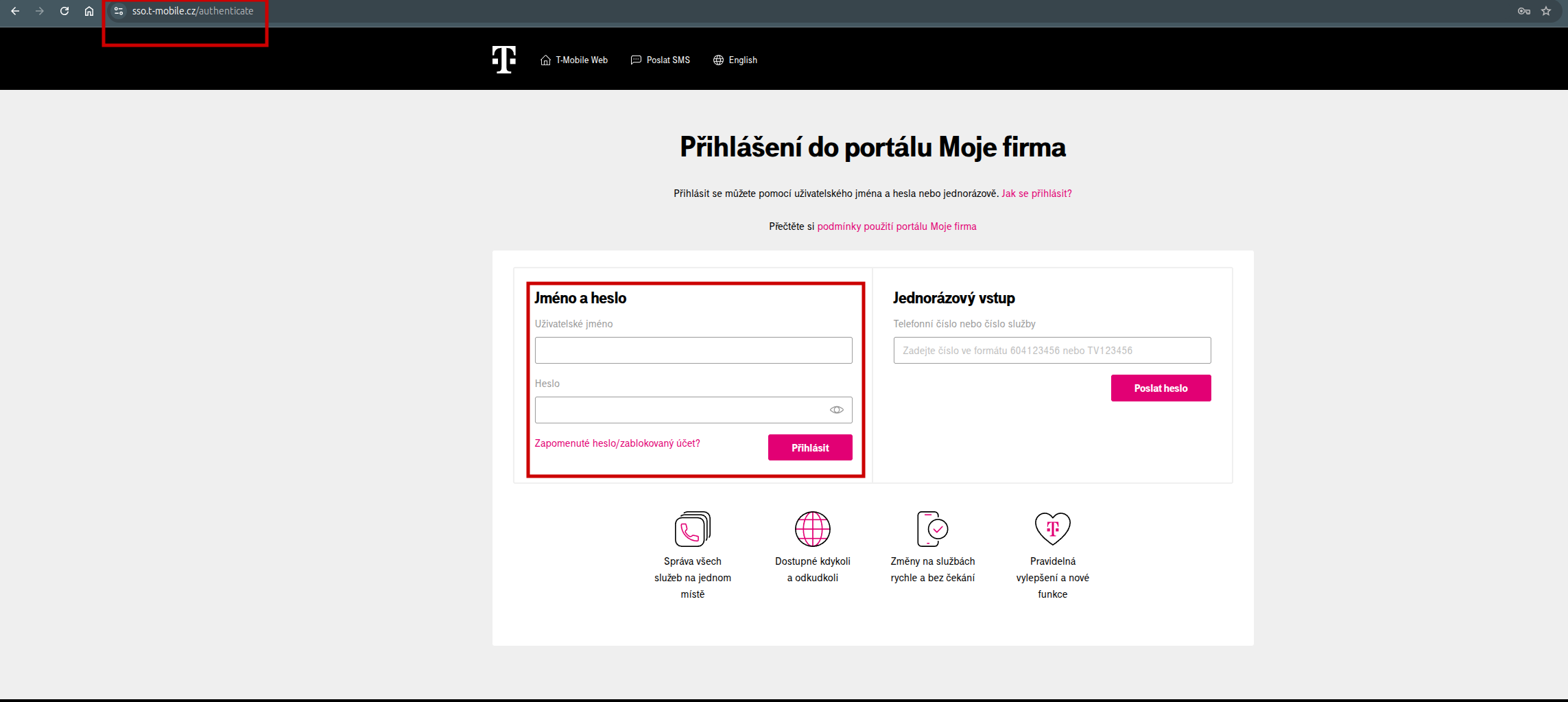
Go to the T-Mobile login page and enter your login and password: https://sso.t-mobile.cz/authenticate.
2. Verifying the login
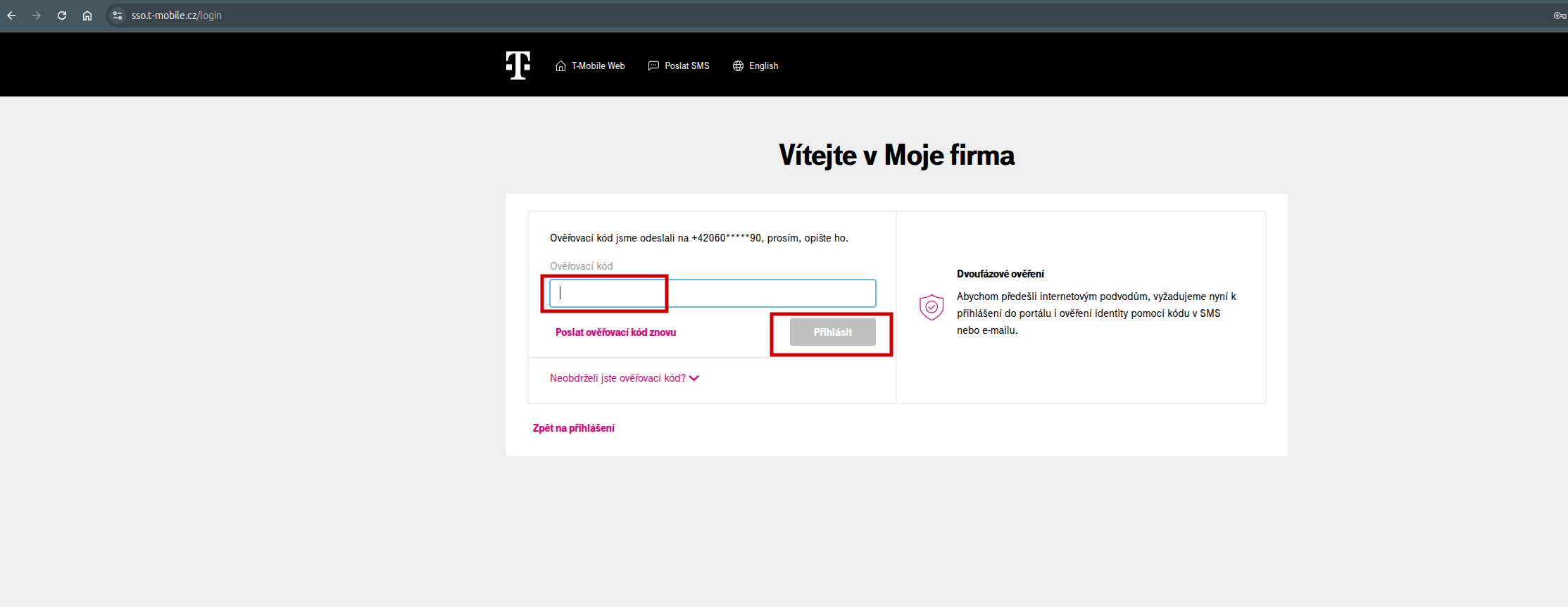
You will receive a verification SMS with a code on your mobile phone. Enter it into the verification code field and click Log in.
3. The Services section
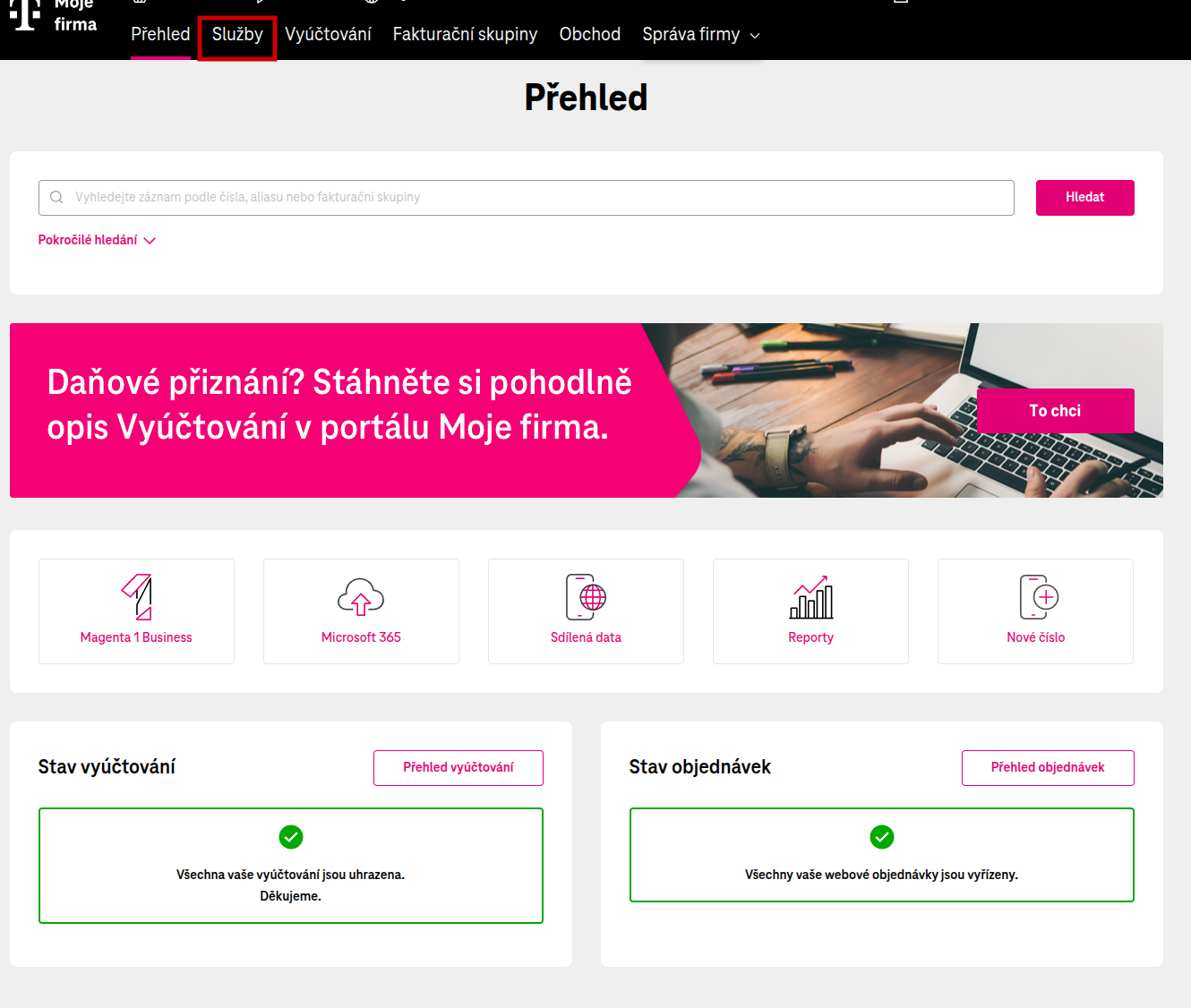
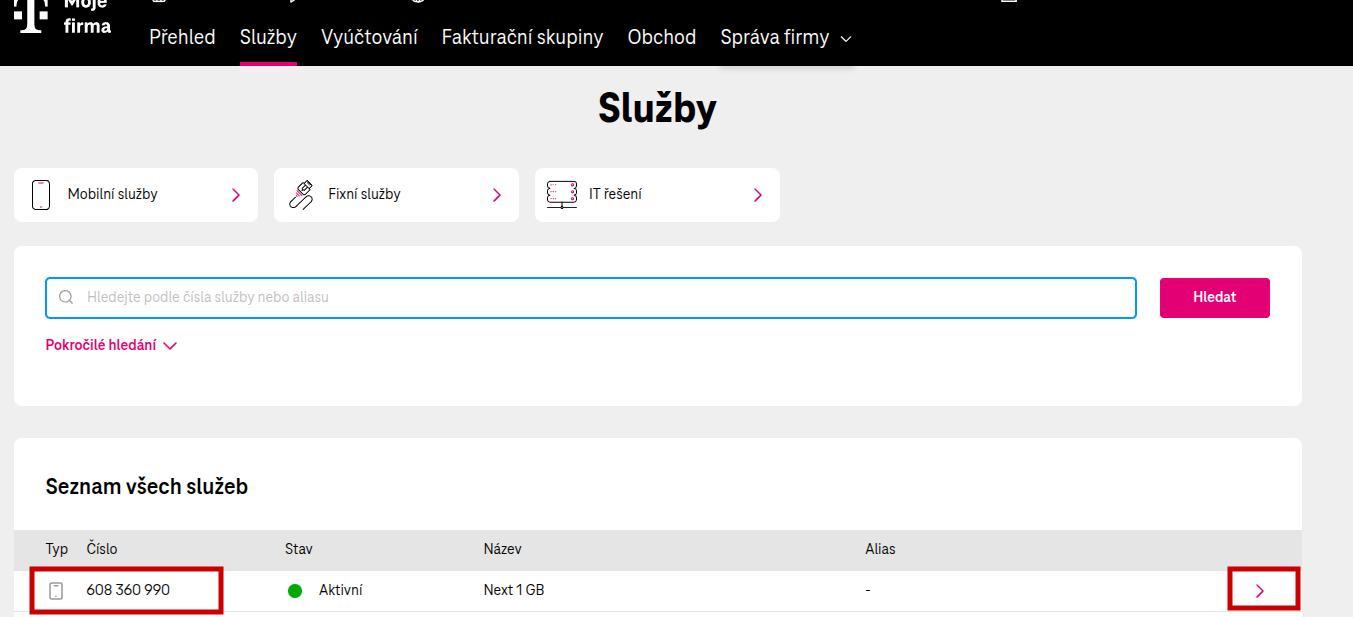
Go to the Services section.
4. Finding the number
Click through to the given number in the table.
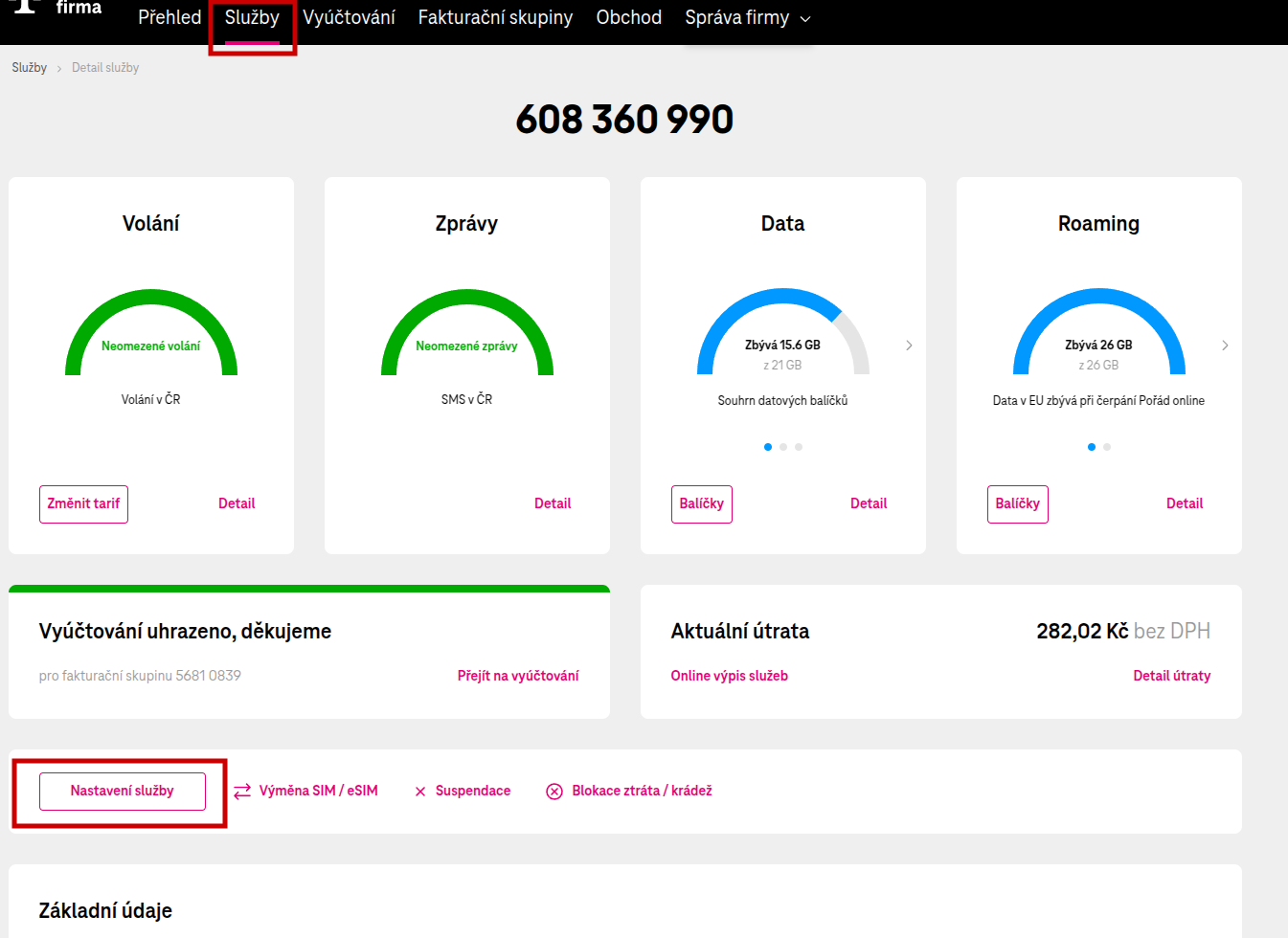
5. Service settings
Click through to the service settings.
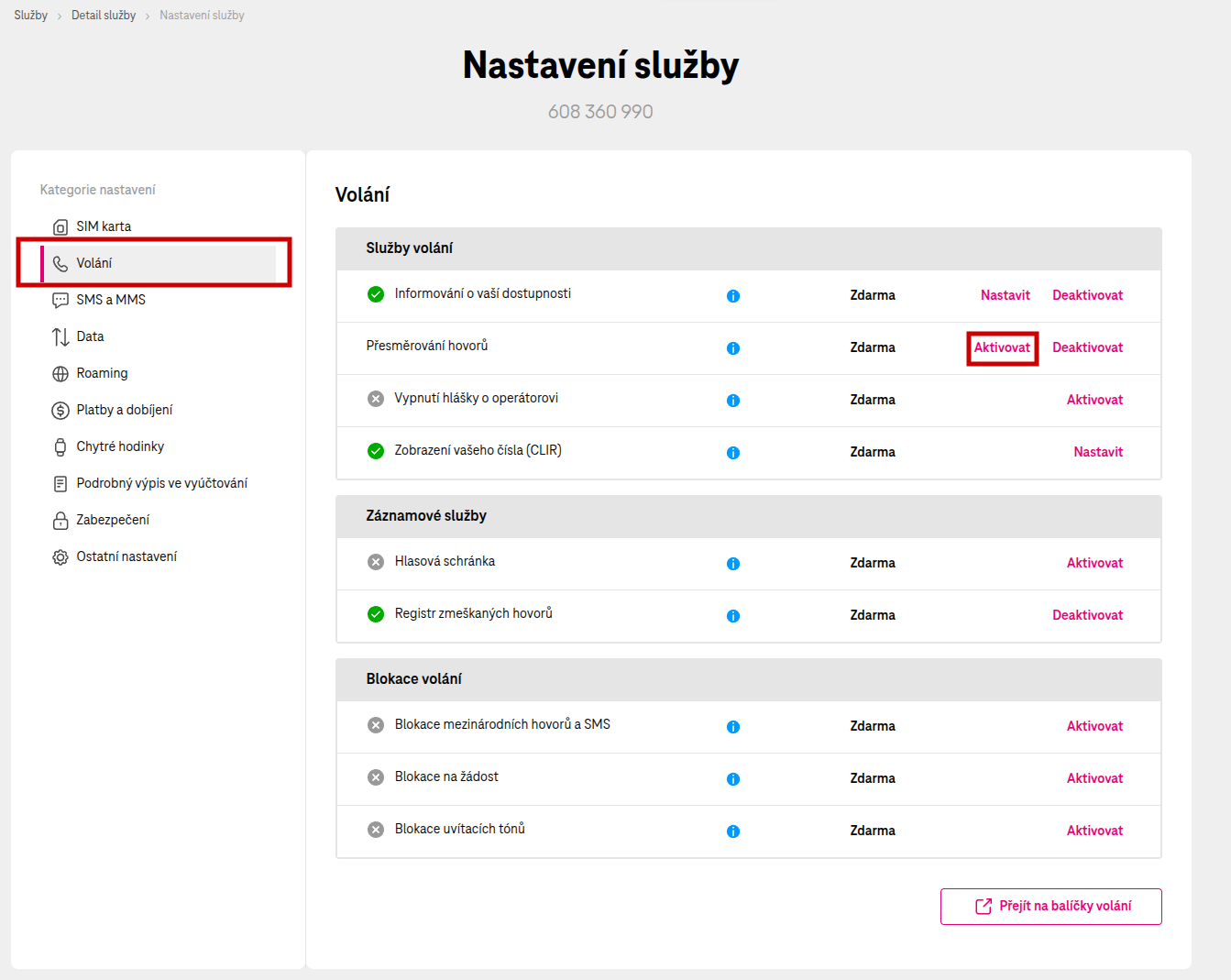
6. Activating call forwarding
Select the Calls section and in the Call forwarding row click the Activate button.
7. Choosing the forwarding type
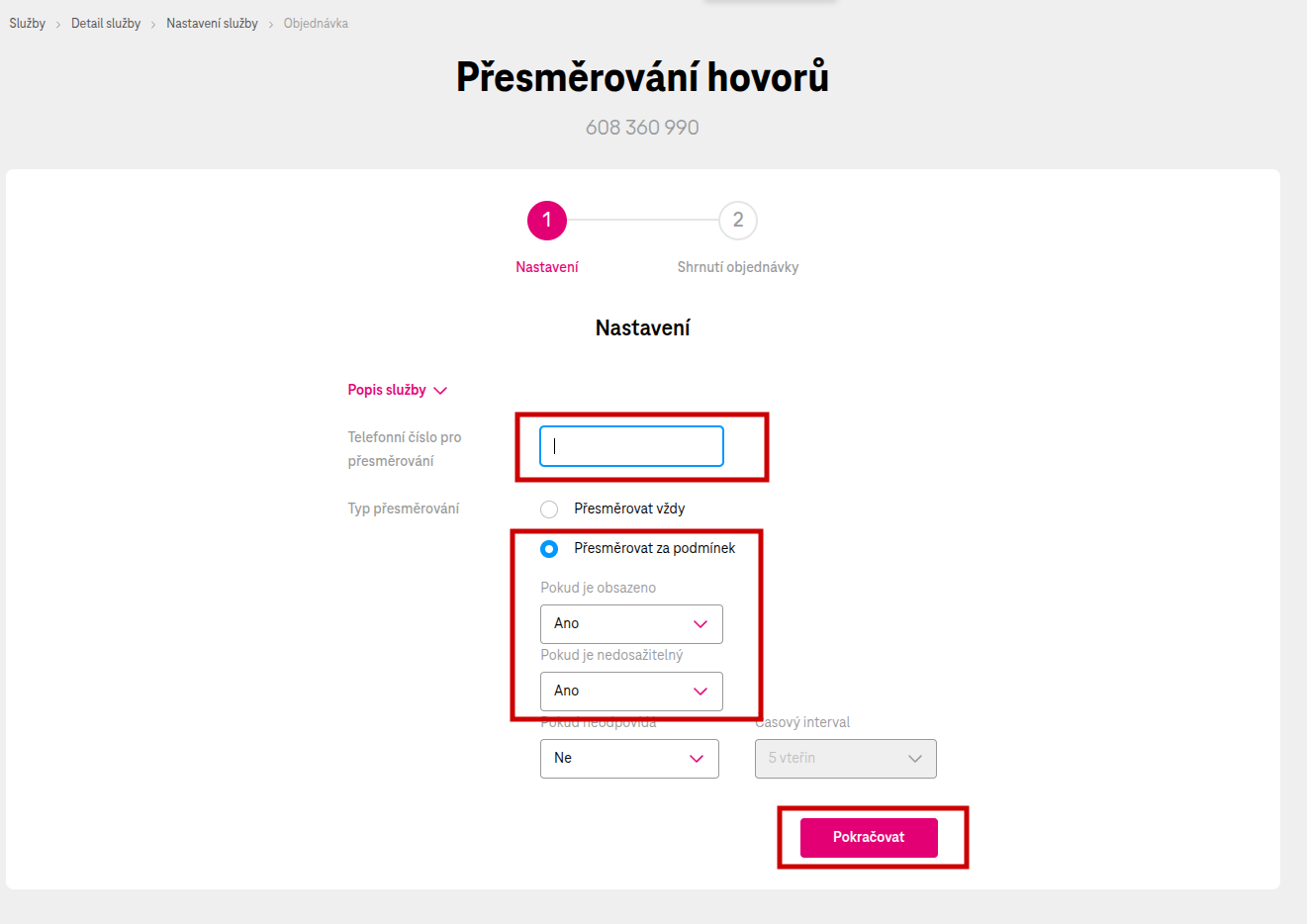
Choose conditional forwarding so that no forwarding announcement is played. Enter the information as shown in the image.