Acrobits phone setup
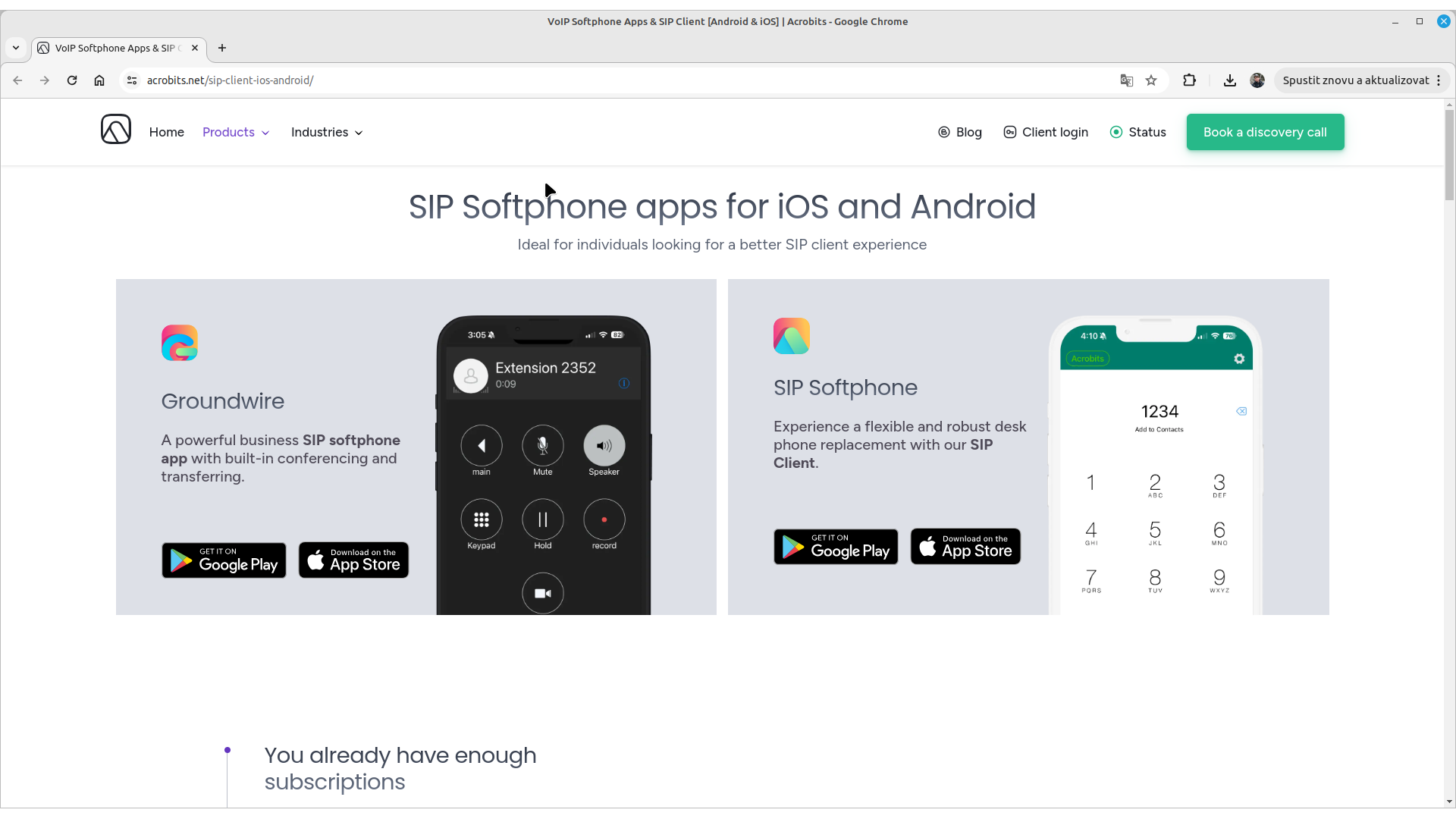
Acrobits softphone is phone software for the iOS and Android platforms. The app is paid.We use this app on our company phones to provide customer phone support.
You can find the Acrobits product pages at acrobits.net.
Warning: Software phones are programs running on your computer. Their correct operation depends mainly on the state of the computer they run on. In particular, background operating system updates you are unaware of, or an aging operating system or computer, can cause the phone to fail during or after an update. That is why we recommend using CISCO hardware phones for working with the SEVIO CALL CENTER system.
Contents:
1. Installation
Install the phone from the App Store (iOS) or Google Play (Android).
During installation, proceed in the standard way you are used to on your device. Follow the installation instructions.
2. User account setup
Launch the Acrobits app on your device.
Open the system settings: tap the Keypad option at the bottom, then the gear icon in the top right.
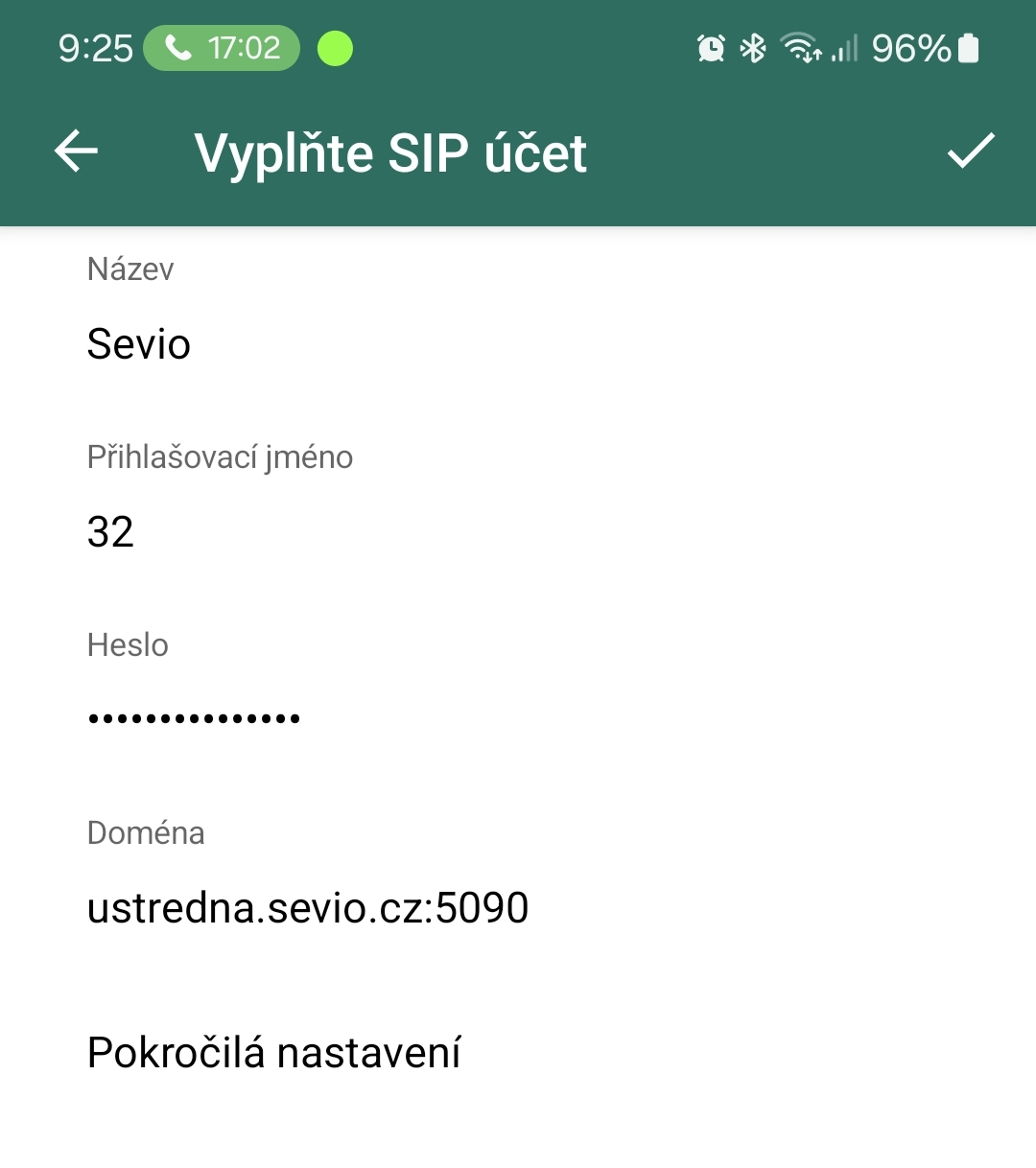
Go to "SIP accounts", tap the "+" button in the top right, select "Generic SIP account" and fill in the form.
"Title": choose "SEVIO" as the account name.
"Username": the number of the extension you will be calling from (e.g. "208").
"Password": the extension password (see the phone system manual).
"Domain": the IP address or name of the phone system, which you will find in your SEVIO phone system manual (e.g. "mojeustredna.sevio.cz:5090"). If a port is specified in the phone system name (e.g. 5090), write it after a colon following the name (no spaces).
Go to the advanced settings (see below), check them, and then press the "Save" button at the top.
3. Advanced user account settings
Follow the User account setup (see above) until you reach the Advanced settings option.
Check these settings against the 4 images on the right.
Once checked, press the "Save" button at the top.
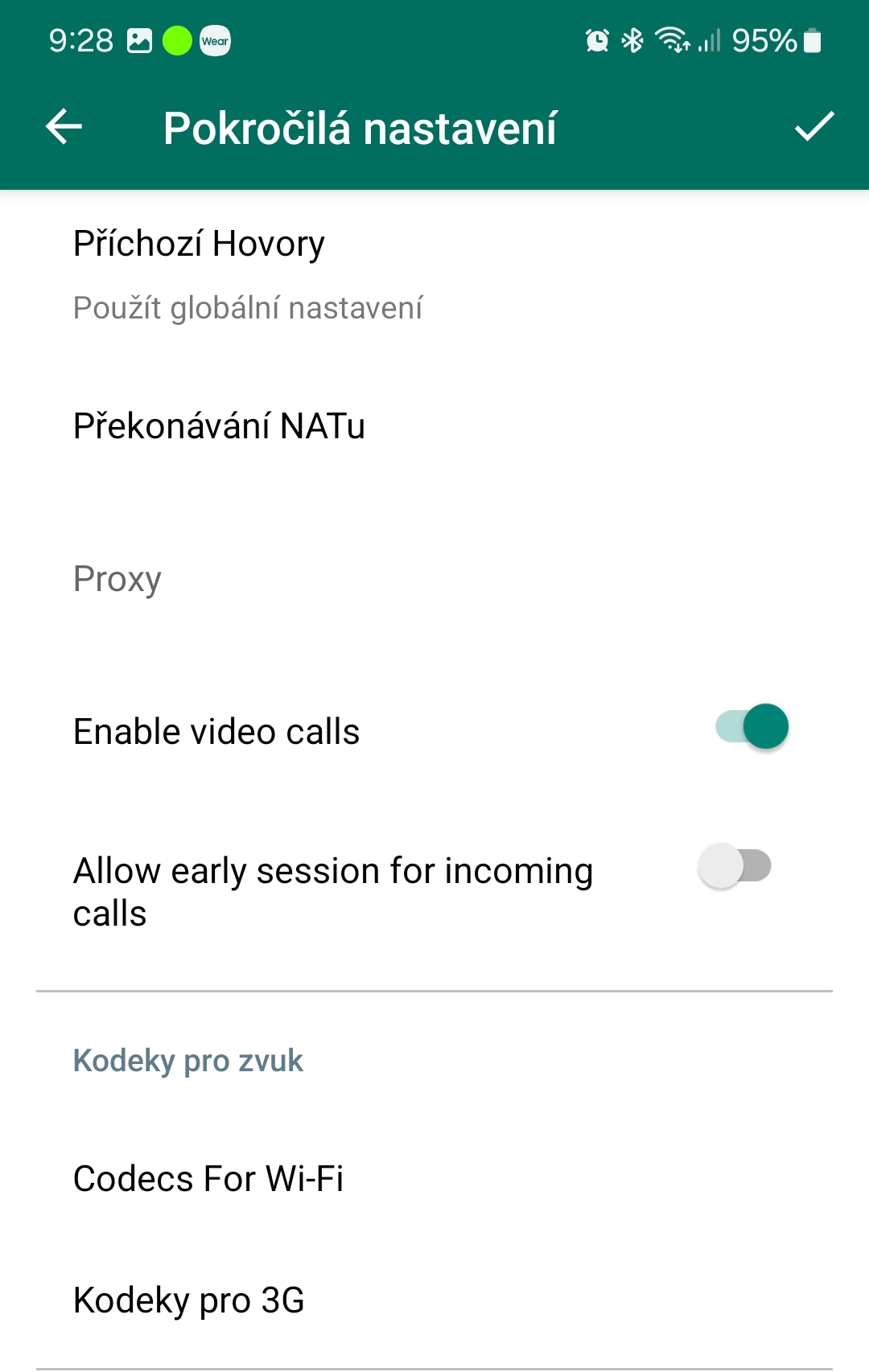
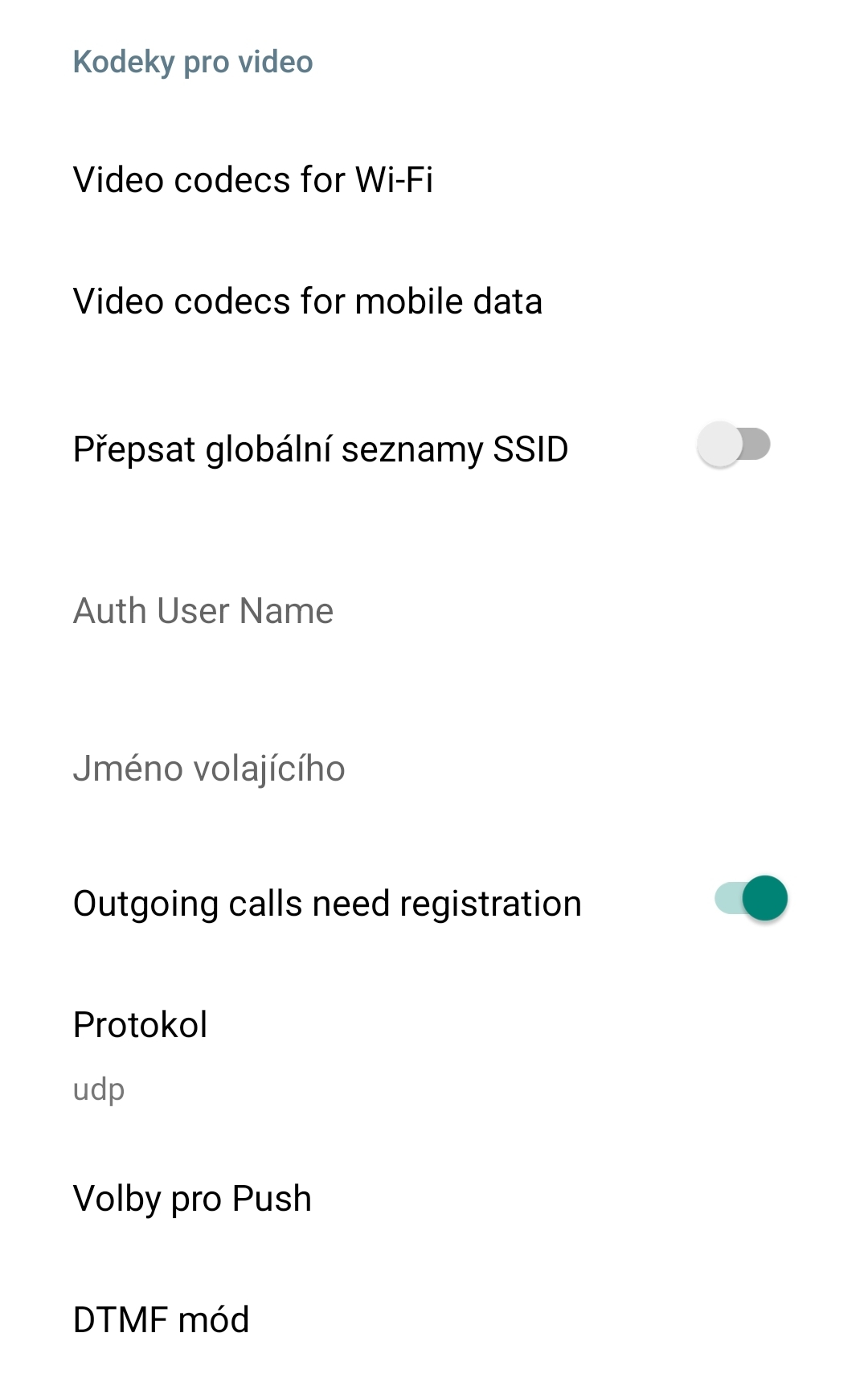
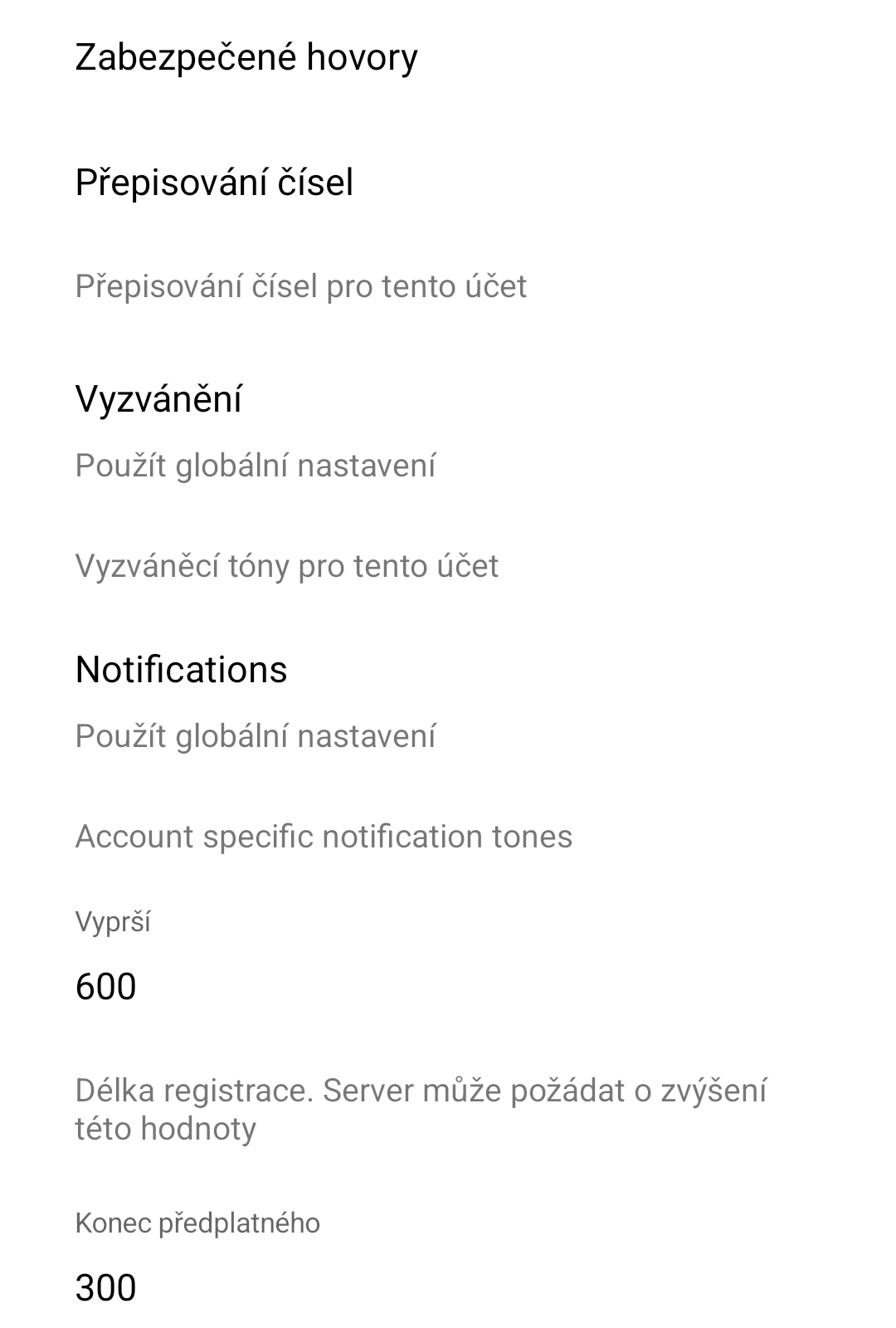
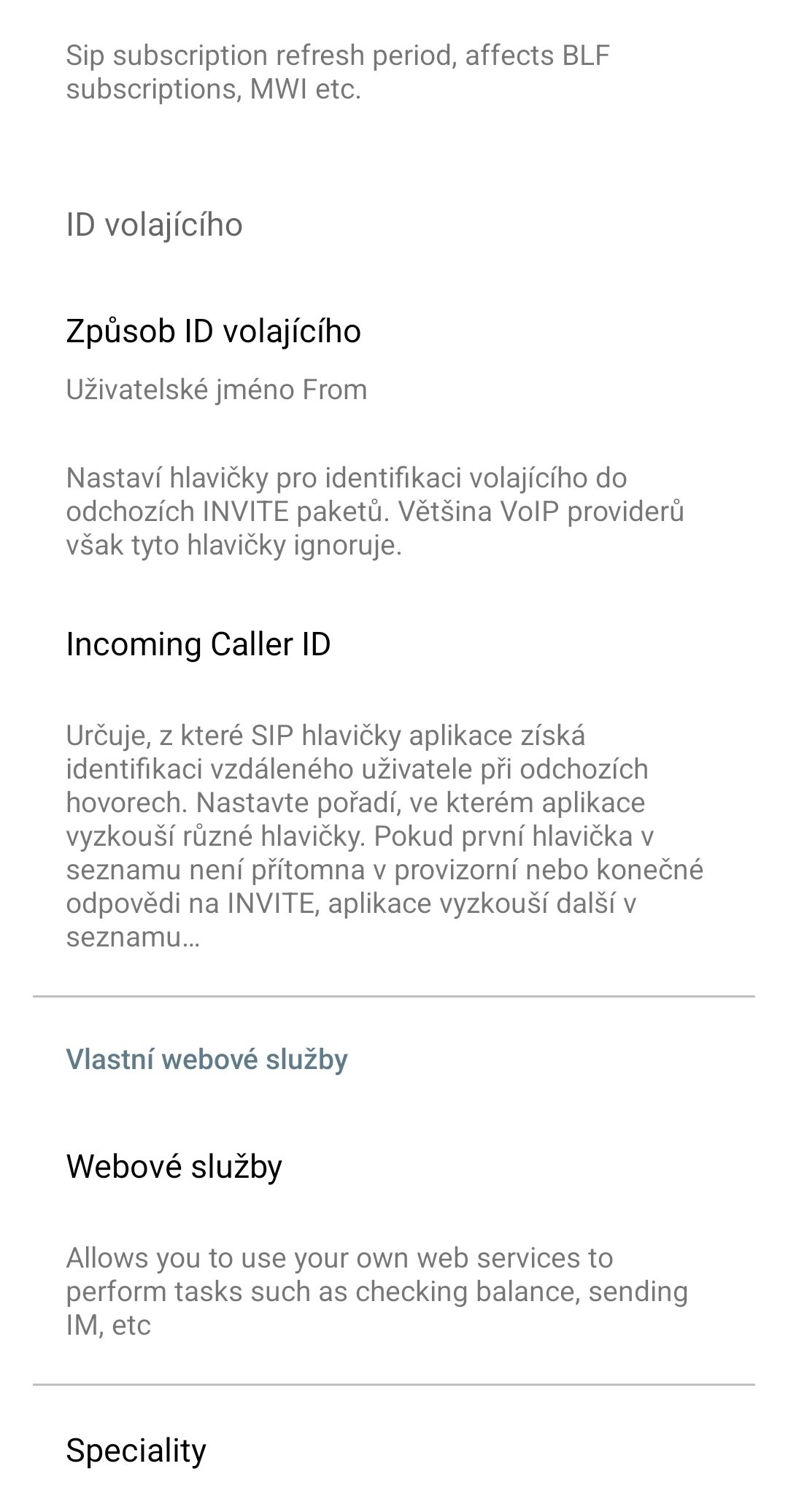
Advanced settings of the Acrobits app
4. Troubleshooting
We have not encountered any issues while using the Acrobits phone. That does not mean there are none. We simply do not know about them.
We accept no responsibility for the correct operation of a software phone on any device.