Pipedrive CRM integration
This article will guide you through the correct procedure for connecting SEVIO CALL CENTER with Pipedrive CRM.
Contents:
1. Generating an API token in Pipedrive CRM
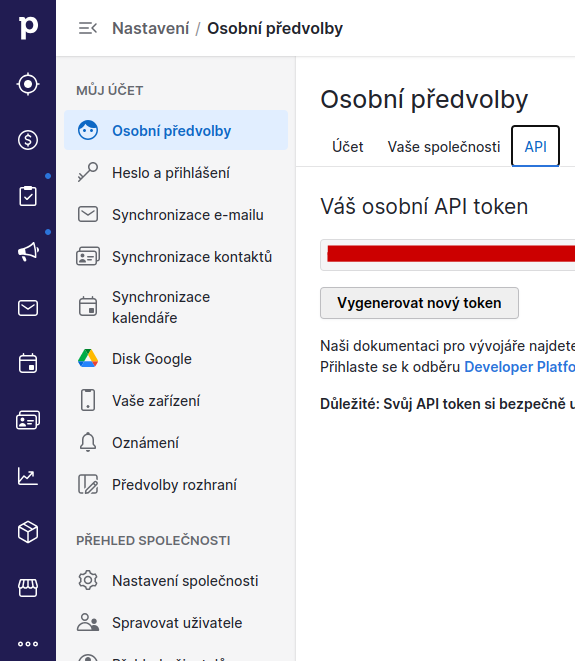
Log in to Pipedrive CRM with your account and go to Settings/Personal preferences.
There, click the API tab and press the Generate new token button.
Save the generated token and copy it into the SEVIO settings (see the next section).
2. Setting the API token in SEVIO
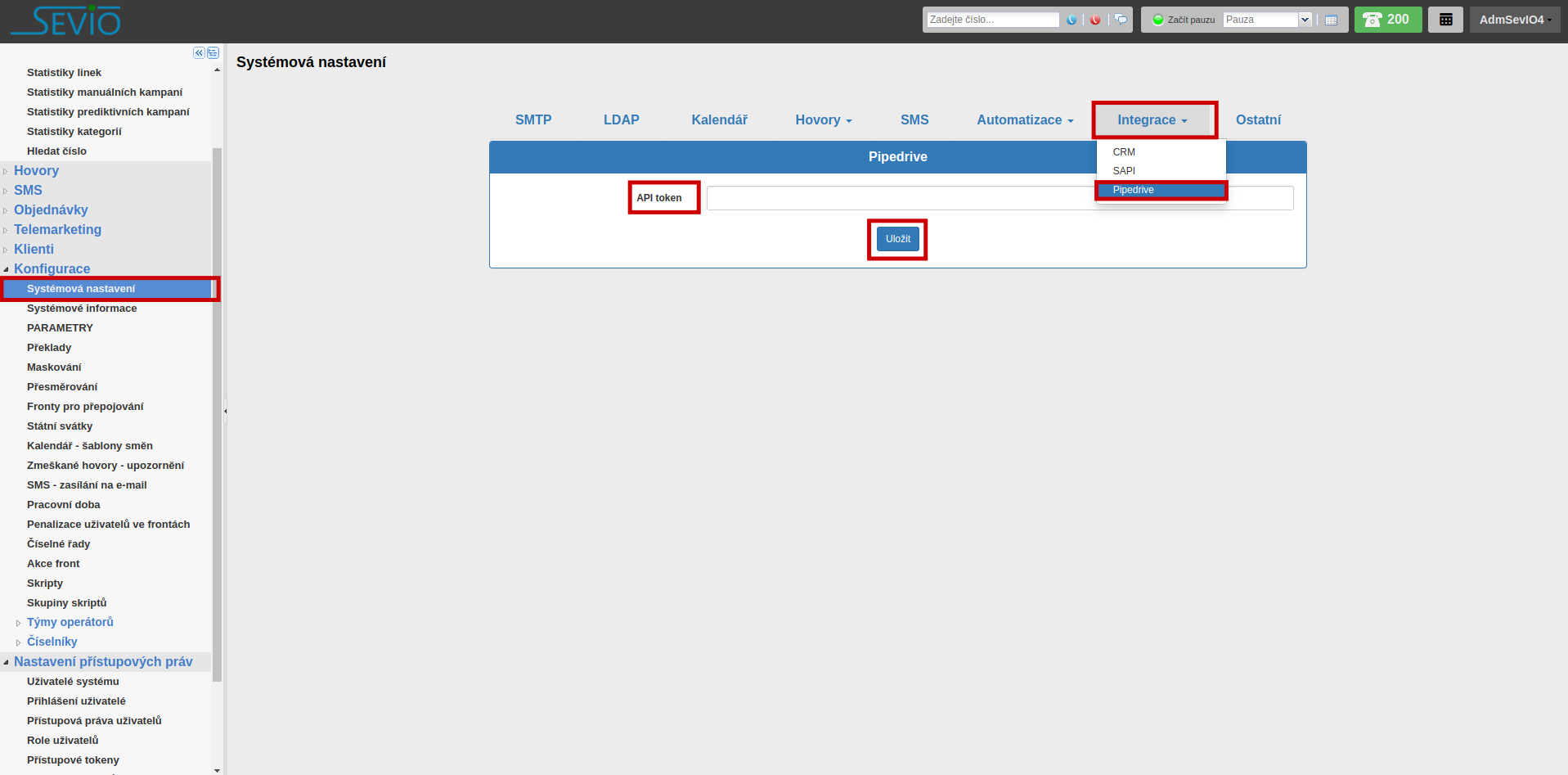
Log in to SEVIO with your account and go to System settings.
There, click the Integrations tab and select the Pipedrive option.
In the editor that opens, paste the token you generated in Pipedrive CRM (see the previous section) into the API token field and press the Save button.